One of the cookies created by the GA Connector script (gaconnector_pages_visited_list, and occasionally gaconnector_all_traffic_sources) can grow too large if a visitor browses many pages.
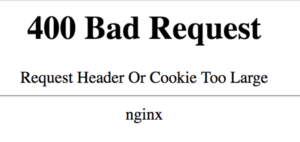
On some servers, this produces errors such as:
- Size of a request header field exceeds server limit
- 400 Bad Request
- Or similar
To fix this issue, you just need to add some code that removes this cookie:
$(document).ready(function() {
  gaconnector.setCallback(function(fields) {
     document.cookie = "gaconnector_pages_visited_list=;expires=Thu, 01 Jan 1970 00:00:01 GMT;domain=yourdomain.com;path=/";
  });
});
Just make sure to replace "yourdomain.com" with your top-level domain name.
If the problem persists, review your server configuration (for example, Nginx large_client_header_buffers or Apache LimitRequestFieldSize) to ensure the header-size limits are appropriate.