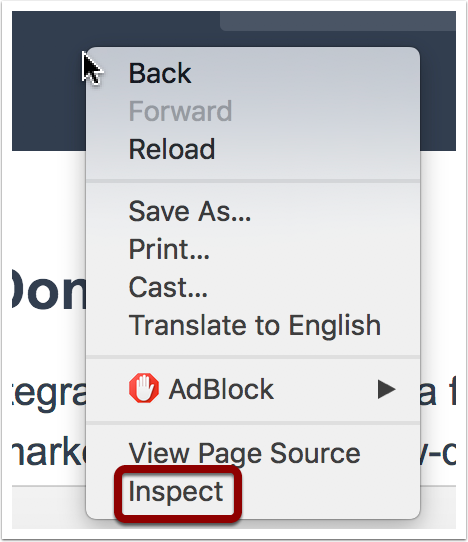
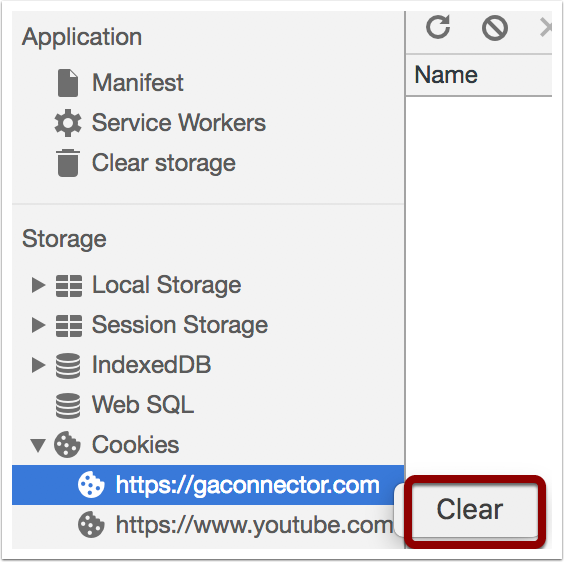
First, open your website in Google Chrome Right-click anywhere on the page and then click on “Inspect” Select “Application” in the menu Find your domain below the “Cookies” menu, and then right-click on it and press “Clear” That’s it! Now your website cookies have been cleaned for your browser.